Nominee Toolkit
So you got yourself nominated for the Reader’s Choice?
Congratulations!
Here’s everything you need to know:
Ways to get votes
- Ask for them. We’ve created “Vote for Us” ads that you can use on your website (below). Be sure to place one in a prominent position so your customers see it, and then link back to BulletinReadersChoice.com (or one of the category links below!) so they can easily access the ballot.
- Send reminders. Post regularly on your social media accounts, asking your followers to nominate your business and provide this link: BulletinReadersChoice.com
- Repeat. Send emails to your customer database. Recommended dates:
- February 10: Readers’ Choice voting begins!
- February 22 – 24: Friendly reminder
- March 3: Last call – voting ends March 10!
- Speak up! Tell your customers which categories you’re nominated in. Ask them to vote early and often! Download this PDF flyer to put by your register/reception area and make it a priority to ask your customers to vote for you! Some nominees even ask customers to vote within the text of their receipts! Every little reminder helps.
- Let us help. Download our free social media graphics. They are pre-formatted and labeled for the appropriate platform.
Note: 209 Multimedia owns all copyright, including Readers’ Choice images and other intellectual property rights in materials that are created by 209 Multimedia for our advertisers. Reproduction of those materials without our expressed consent is a violation of the copyright law. All Readers’ Choice images must include the “Vote for Us” verbiage; use of the blank contest logo is prohibited. If you have any questions, please contact our promotions director at promotions@209multimedia.com.
Category Links
Copy and paste these URLs to help your customers jump to your group of categories on the ballot.
(Helpful tip: You can right-click the link and select “copy link address” to copy the whole link to your clipboard)
Animal and Farm Services:
bulletinreaderschoice.com/#/gallery?group=534003
Auto Biz:
bulletinreaderschoice.com/#/gallery?group=534004
Community Favorites:
bulletinreaderschoice.com/#/gallery?group=534005
Favorite Business:
bulletinreaderschoice.com/#/gallery?group=534006
Food & Beverage:
bulletinreaderschoice.com/#/gallery?group=534007
Fun:
bulletinreaderschoice.com/#/gallery?group=534008
Health & Wellness:
bulletinreaderschoice.com/#/gallery?group=534009
Home:
bulletinreaderschoice.com/#/gallery?group=534010
Real Estate:
bulletinreaderschoice.com/#/gallery?group=534011
Shopping:
bulletinreaderschoice.com/#/gallery?group=534012
Toolkit Files
Click on each link to download each file as a PDF.
Toolkit Images
Click the images below to download to your device.
If this doesn’t work:
- On a computer, right-click on each image below to save to your device.
- On a mobile device, long press or tap-and-hold on the image to save.

Downloadable Leaderboard Ad
for Your Website (728×90)
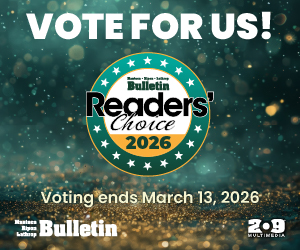
Downloadable Medium Rectangle Ad
for Your Website (300×250)
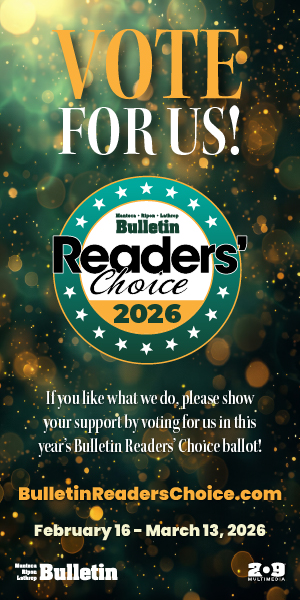
Downloadable Skyscraper Ad
for Your Website (300×600)
How to link ads to your listing
1. Click on your listing on the ballot:
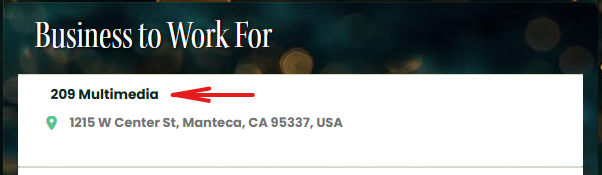
2. Copy the URL in the address bar in your browser:
(this is the direct link to your listing which you can share with your supporters)
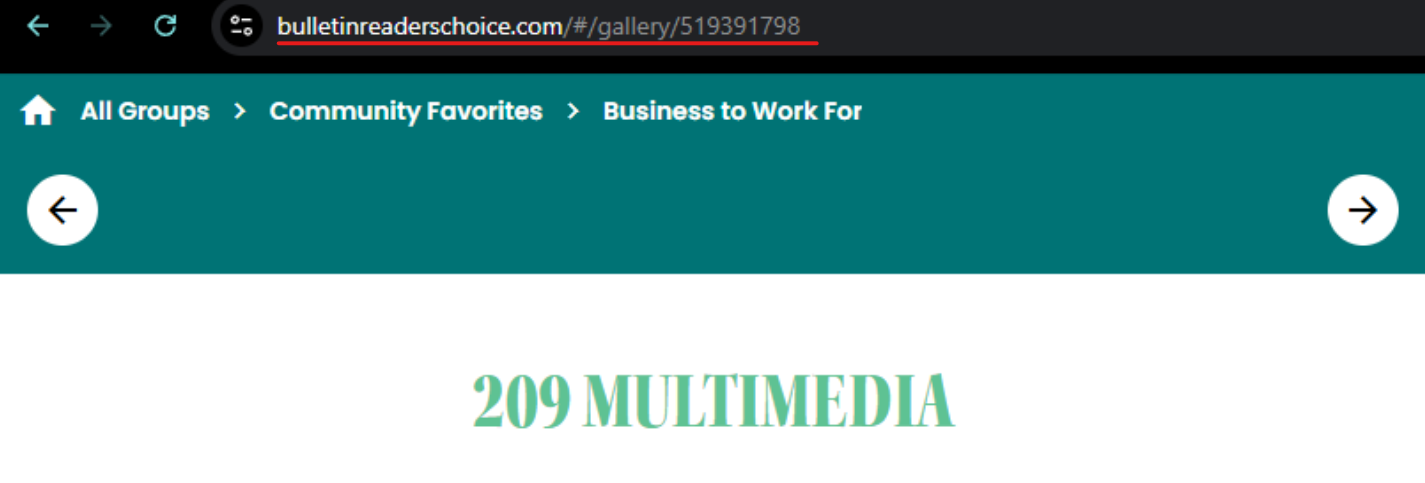
3. Paste that URL into the image’s link field.
An Excellent Advertising Opportunity!
As a nominee in the Readers’ Choice, you are in a position to reach thousands of local residents during our biggest local event of the year!
By sponsoring a group or category in this year’s ballot, your ad will appear at the top of your chosen categories, linked directly to your company’s website.